- Home
- Events
-
LEARN MORE
- Back
- LEARN MORE Overview
- Hours of Operation
- Kroc Features & Amenities
- Facility Policies
- Forms
- Contact Us
- About The Salvation Army
Never Miss a Chance to Do the Most Good
Please enter your name, email and zip code below to sign up!
-
MEMBERSHIP
Never Miss a Chance to Do the Most Good
Please enter your name, email and zip code below to sign up!
-
PROGRAMS & CLASSES
- Back
- PROGRAMS & CLASSES Overview
- Class Schedule
-
Youth
- Back
- Youth Overview
- Audio & Music Production Series
- Dance
- KidsFEAST
- Vacation Bible School
- Summer With RJ
Never Miss a Chance to Do the Most Good
Please enter your name, email and zip code below to sign up!
- Aquatics
- Fitness & Wellness
-
Culinary Arts
Never Miss a Chance to Do the Most Good
Please enter your name, email and zip code below to sign up!
- Seniors
Never Miss a Chance to Do the Most Good
Please enter your name, email and zip code below to sign up!
- RENTALS
-
WORSHIP
Never Miss a Chance to Do the Most Good
Please enter your name, email and zip code below to sign up!
-
GET INVOLVED
Never Miss a Chance to Do the Most Good
Please enter your name, email and zip code below to sign up!
- FIND HELP
- New Online Experience
Never Miss a Chance to Do the Most Good
Please enter your name, email and zip code below to sign up!
Never Miss a Chance to Do the Most Good
Please enter your name, email and zip code below to sign up!
- Home
- Events
-
LEARN MORE
- Back
- LEARN MORE Overview
- Hours of Operation
- Kroc Features & Amenities
- Facility Policies
- Forms
- Contact Us
- About The Salvation Army
Never Miss a Chance to Do the Most Good
Please enter your name, email and zip code below to sign up!
-
MEMBERSHIP
Never Miss a Chance to Do the Most Good
Please enter your name, email and zip code below to sign up!
-
PROGRAMS & CLASSES
- Back
- PROGRAMS & CLASSES Overview
- Class Schedule
-
Youth
- Back
- Youth Overview
- Audio & Music Production Series
- Dance
- KidsFEAST
- Vacation Bible School
- Summer With RJ
Never Miss a Chance to Do the Most Good
Please enter your name, email and zip code below to sign up!
- Aquatics
- Fitness & Wellness
-
Culinary Arts
Never Miss a Chance to Do the Most Good
Please enter your name, email and zip code below to sign up!
- Seniors
Never Miss a Chance to Do the Most Good
Please enter your name, email and zip code below to sign up!
- RENTALS
-
WORSHIP
Never Miss a Chance to Do the Most Good
Please enter your name, email and zip code below to sign up!
-
GET INVOLVED
Never Miss a Chance to Do the Most Good
Please enter your name, email and zip code below to sign up!
- FIND HELP
- New Online Experience
- Become a Member!
- Register for Classes!
Never Miss a Chance to Do the Most Good
Please enter your name, email and zip code below to sign up!
Never Miss a Chance to Do the Most Good
Please enter your name, email and zip code below to sign up!

Vacation Bible School
April 21 – April 24, 2026 | Tuesday–Friday | 8:00 a.m. - 4:00 p.m.
Ages: 6–12 years old
Capacity: Limited to 40 children
Registration Deadline: April 10, 2026
We are excited to invite your children to join us for Vacation Bible School at The Salvation Army Boston Kroc Center this April! This special program will be filled with faith, fun, learning, and engaging activities designed to inspire children while building friendships and community. Throughout the week, children will participate in Bible lessons, games, creative activities, and group experiences that promote faith, teamwork, and fun in a safe and welcoming environment.
$65 for members | $80 for non-members
$25 for Extended Day 4 p.m. - 6 p.m.
How to register for Vacation Bible School
- Click the registration link above
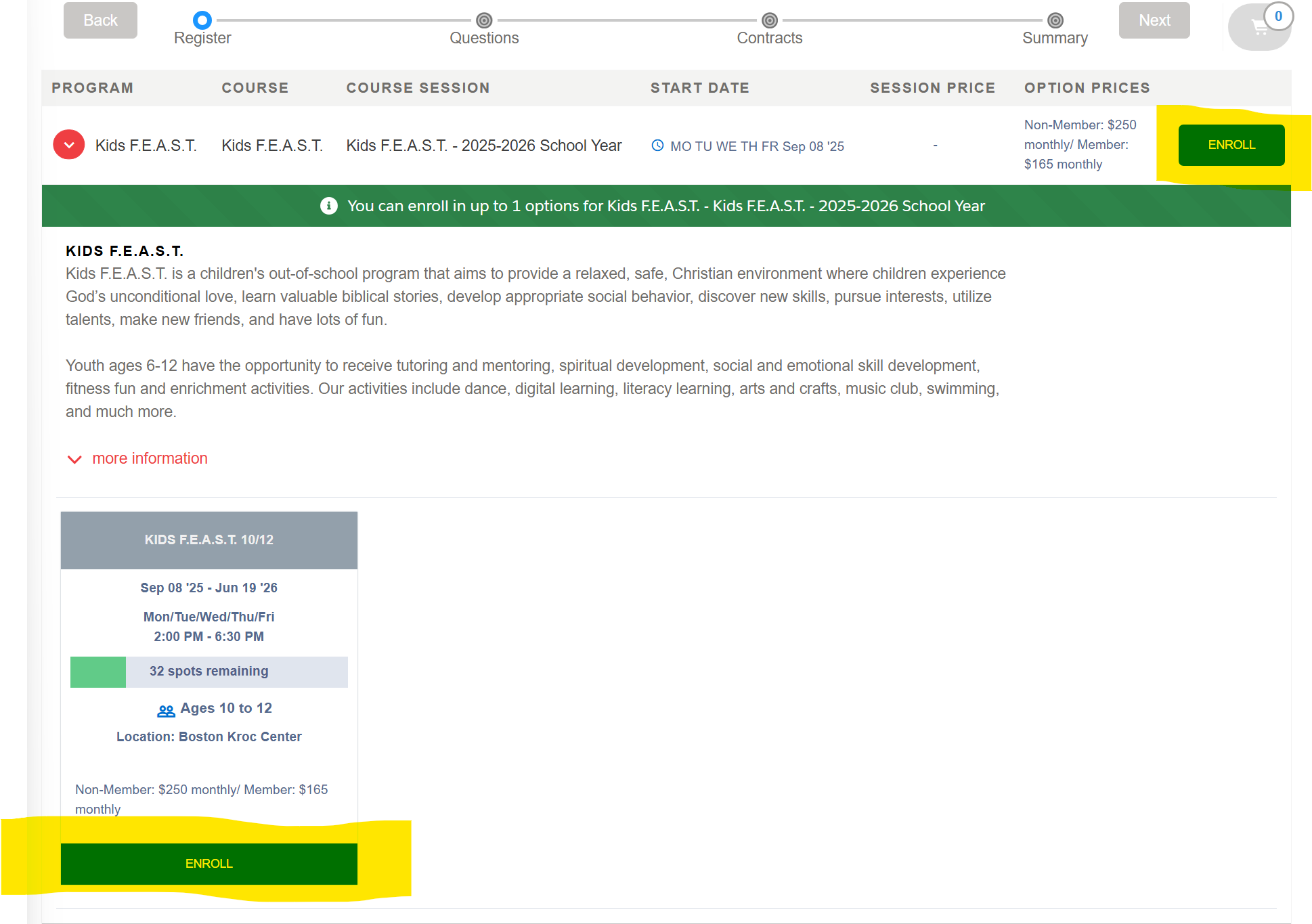
- Click "Enroll" under the appropriate age group.
-
- Log in if you already have a Kroc Community Portal account. If not, Click "Create Account"
- Enter the first name, last name, and email address that are associated with your Kroc Center account, and click "Submit"
o Note: To create an online account, you must have an email address already tied to your Kroc Center account. - You will receive an email inviting you to log in with a link to click and set your password. Make sure to check your spam folder if you don’t see it!
- Enter the first name, last name, and email address that are associated with your Kroc Center account, and click "Submit"
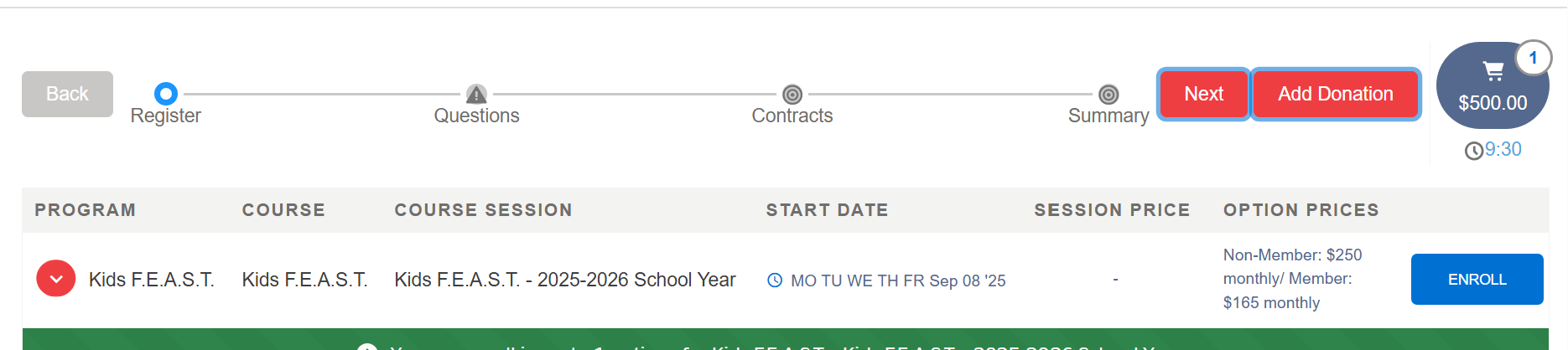
- Select your child, or add them by clicking Add a contact. Click Next at the top of the window
- Answer all the required questions, then click next.
- Click "Pay Now" to finish the transaction.
- Review the charges, then select a payment method at the bottom, and follow the instructions.